

SpeedByGenre
Automatically adjust YouTube playback speed based on video category
If you watch a lot of YouTube you have probably noticed that speed settings are one of the most personal things about how you watch. Music sounds wrong above 1.0x. A 30-minute tutorial is fine at 1.5x. A news recap is perfectly watchable at 1.75x. The problem is that YouTube applies whatever speed you last set to every single video and you end up adjusting it by hand every time the category changes.
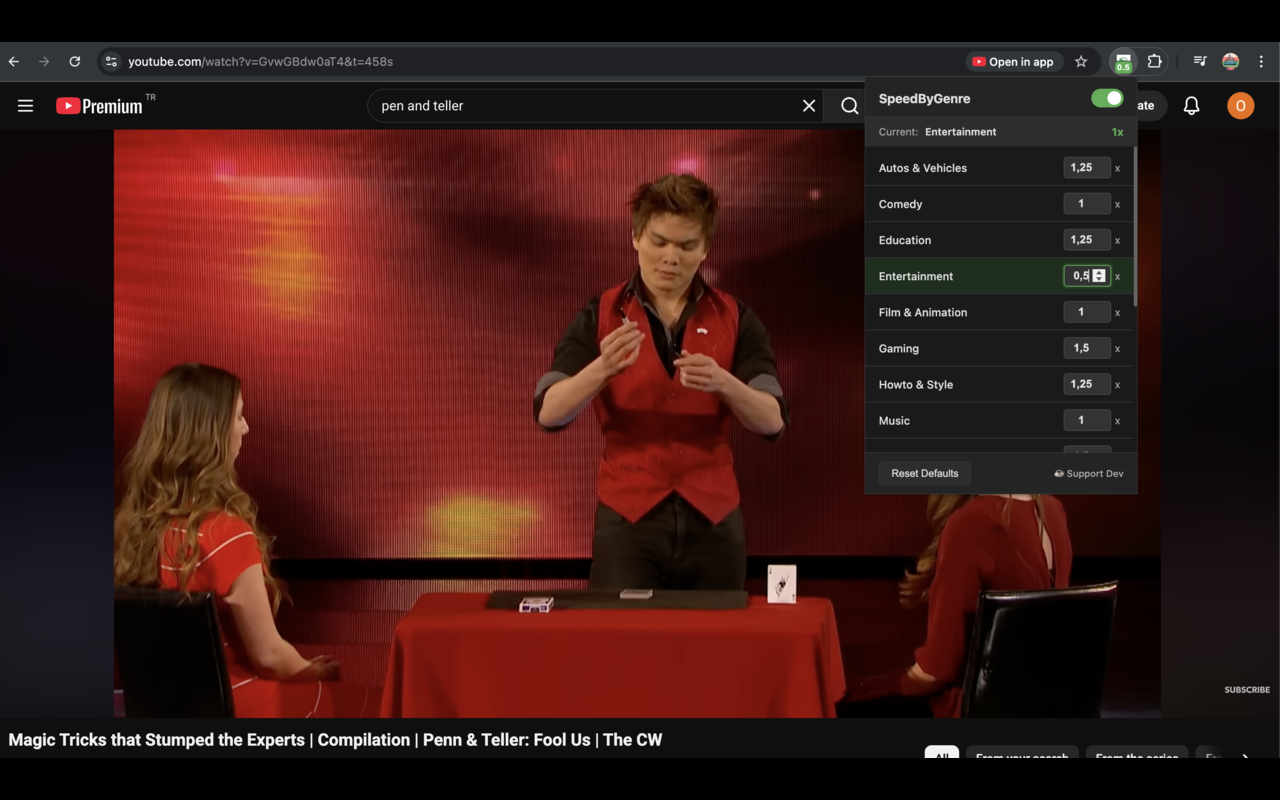
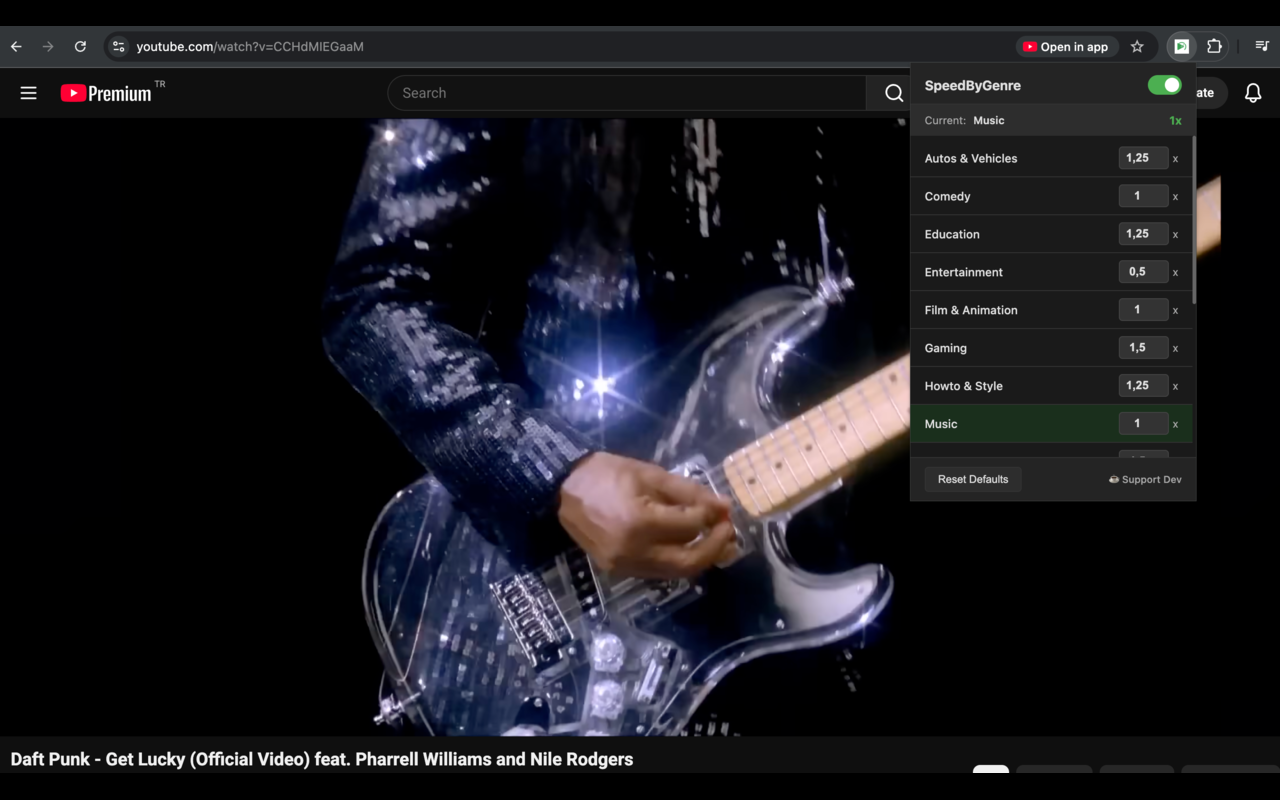
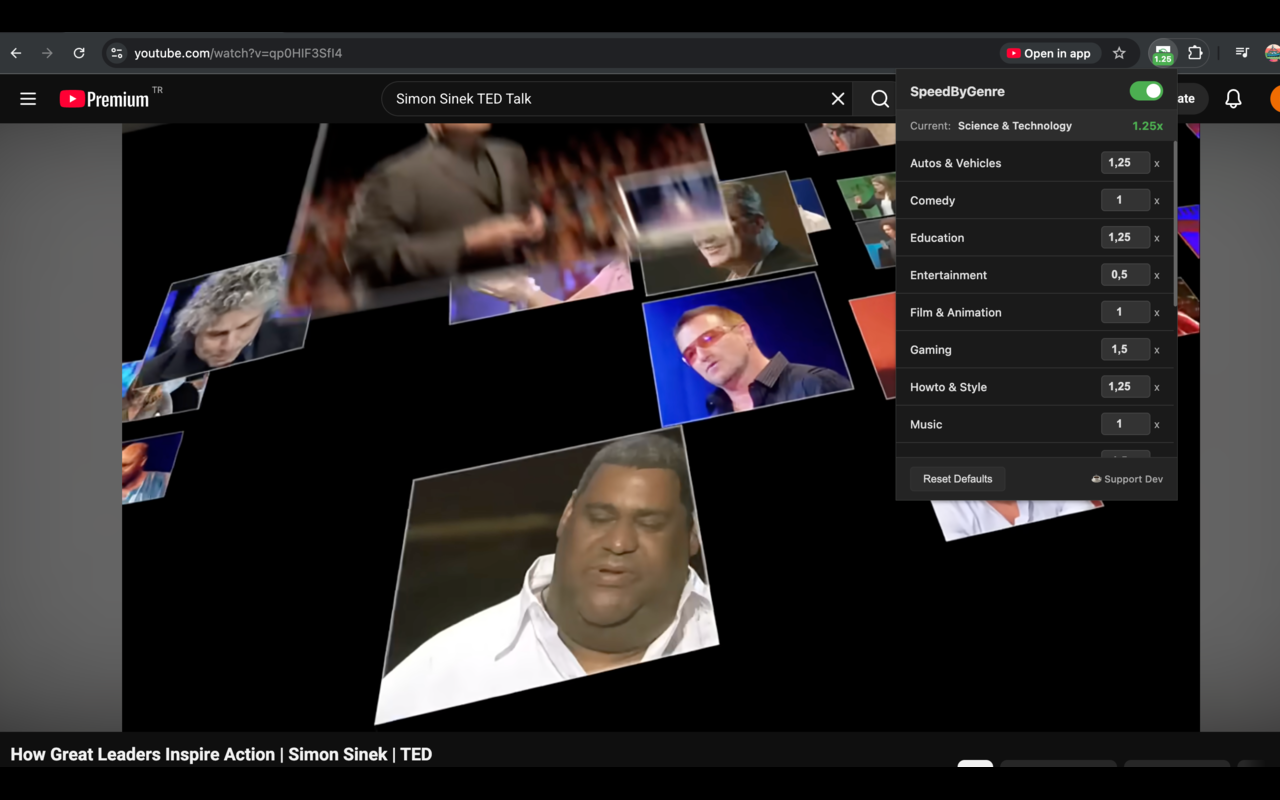
SpeedByGenre automates that. You open the extension popup once, set a playback speed for each YouTube category you care about and from that point the extension applies your rule whenever a new video loads. You open a music video and it plays at 1.0x. You switch to a tutorial and it jumps to 1.5x. You do not touch anything.
The detection works by reading the category data YouTube embeds in the page when it loads. This happens entirely in your browser. No requests go to any external server. The extension does not know who you are, what you watch or what your speeds are set to. The only place your settings live is inside your browser's local storage on your own computer.
If you want to override the speed on a specific video you can change it the normal way using YouTube's speed controls. The extension sees that as a manual choice and respects it for the rest of that video. The next video still gets the category rule.
SpeedByGenre works with both regular YouTube and YouTube Music. It skips ads automatically so a speed rule does not accidentally apply during an ad break. It runs on Chrome and all Chromium-based browsers including Edge and Brave.
Setting it up takes about a minute. Install the extension, open the popup, set your speeds per category and you are done. After that it runs in the background and you stop thinking about playback speed.
Available on

Key benefits
- Automatically identifies YouTube video genres in real time
- Set a custom playback speed for each content category
- Skips speed changes during ads automatically
- Respects manual speed adjustments during a session
- All detection happens on your device. Nothing leaves your browser
Use cases
- Automatically speed up News and Education while keeping Music at 1.0x
- Breeze through long tutorials without manual speed toggling
- Optimize your YouTube viewing time across diverse content types
Privacy
Pricing
Free
What's new
v1.0.0
Initial release with smart category detection and custom speed rules.
v1.0.0
Now available on the Mac App Store as a native Safari extension for macOS 15+.
FAQ
How does it detect the video category?
It uses a multi-layer detection pipeline that reads YouTube's internal data, meta tags and structured data-all entirely on your device.
Does it work with YouTube Music?
Yes, it supports both standard YouTube and YouTube Music.
Which speed applies to which category by default?
There are no fixed defaults. You set the speed per category yourself in the extension popup. Most people set Music to 1.0x, Education to 1.25x or 1.5x and News to 1.5x but the choices are entirely yours.
Can I override the speed for a specific video?
Yes. Change the speed using YouTube's built-in controls or the extension popup and it will stay at that speed for the rest of that session. SpeedByGenre only sets the initial speed when a new video loads.
Does it remember my manual overrides between sessions?
Manual overrides apply for the current video only. When you open a new video the extension applies your category rule again. Your per-category speed settings are saved permanently in your browser.
Does it work on YouTube videos embedded on other sites?
No. SpeedByGenre only runs on youtube.com. Embedded players on third-party sites do not have the category metadata the extension needs to detect the content type.
How we compare
Why choose SpeedByGenre over Manual Speed Toggling?
| Feature | SpeedByGenre | Manual Speed Toggling |
|---|---|---|
| Automation | Set once, applies rules automatically to every video. | Adjust speed by hand every time a video starts. |
| Precision | Rules per category: Music 1.0x, Education 1.5x, News 1.75x. | Apply same speed to everything, or constant manual tuning. |
| Privacy | 100% On-device detection. No external requests. | Cloud-based extensions that track your watch history. |
| Ads | Automatically skips speed changes during ad breaks. | Manual reset if speed rule applies during an ad. |
Need help?
View full support page for SpeedByGenre — FAQs, troubleshooting, and contact options.
Or email us directly: [email protected]